
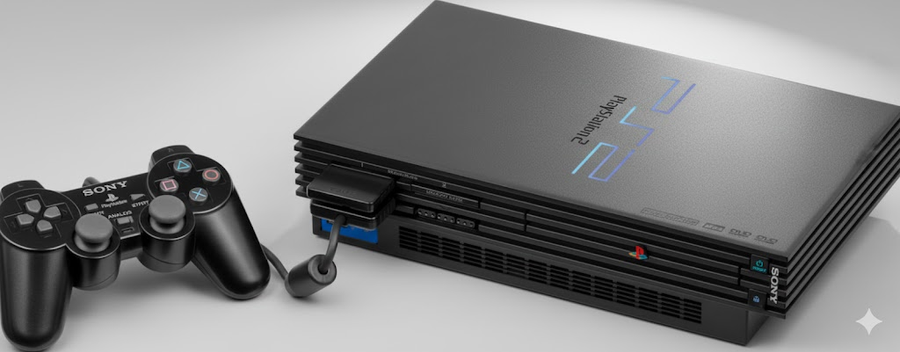
The PlayStation 2 (PS2 BIOS) remains one of the most beloved gaming consoles of all time. Whether you want to relive classic titles or explore games you missed, emulators like PCSX2 and AetherSX2 make it possible to play PS2 games on your PC or Android device. However, to run these emulators, you need a PS2 BIOS—the essential system file that allows games to load and operate correctly. Without it, your emulator simply won’t work. In this guide, we’ll cover what PS2 BIOS is, how to safely download it, and how to use it effectively for smooth, authentic PS2 gaming. You’ll also learn about regional versions, file types, and tips to avoid common issues. By the end, setting up your PS2 emulator will feel simple and straightforward, letting you enjoy your favorite games hassle-free.
What Is PS2 BIOS?
The PS2 BIOS is the brain of your PlayStation 2 console. It controls game loading, system settings, and other essential operations. When you use an emulator like PCSX2, the BIOS acts as a bridge between the game and your device. Without the BIOS file, your games won’t run, making it one of the most critical components for PS2 emulation. There are several BIOS versions, including USA, Japan, and Europe, each tailored for specific regions. Understanding which version you need ensures compatibility with your favorite games.
Why You Need a PS2 BIOS for Emulation
Emulators can mimic the PS2 hardware, but they need the official BIOS to function properly. Using a PS2 BIOS for PCSX2 or AetherSX2 ensures your games run smoothly and look exactly like they did on the original console. The BIOS handles system calls, memory management, and hardware emulation. Skipping it can cause crashes, graphical glitches, or slow performance. In short, if you want a seamless PS2 experience on your PC or Android device, the BIOS is non-negotiable.
How to Download PS2 BIOS Safely
Finding a PS2 BIOS download online can be tricky. Many websites offer free files, but some may include viruses or malware. The safest method is to extract the BIOS from your own PS2 console. If you don’t own one, only download from trusted sources recommended by the emulator community. Always scan files with antivirus software before use. Remember, sharing BIOS files publicly is illegal, so proceed with caution. Using PCSX2 PS2 BIOS or PS2 BIOS for AetherSX2 properly will help maintain a smooth gaming experience without legal risks.
BIOS File Formats and Compatibility
PS2 BIOS files come in multiple formats, including .bin and .rom. Some emulators, like PCSX2, prefer the .bin format, while AetherSX2 works with several types. Make sure your emulator settings match the BIOS format. Using an incorrect file can cause your emulator to fail during startup. Additionally, region-specific BIOS files, such as PS2 BIOS USA, can affect game compatibility. Knowing the right file type and region ensures your games run without issues.
PS2 BIOS for PCSX2
PCSX2 is the most popular PS2 emulator for Windows, Linux, and macOS. To use it, you must load a valid PCSX2 PS2 BIOS file. The process is simple: open the emulator, go to settings, and select “BIOS.” Then, point to your downloaded or extracted BIOS folder. PCSX2 supports multiple BIOS versions, so you can switch between USA, Europe, or Japan depending on your games. Having the right BIOS is essential for high-quality graphics, smooth gameplay, and access to all PS2 features.
PS2 BIOS for AetherSX2
For Android users, AetherSX2 brings PS2 gaming to mobile devices. Just like PCSX2, it requires a PS2 BIOS for AetherSX2. After downloading the BIOS, place it in the emulator’s BIOS folder, and the app will recognize it automatically. Make sure the BIOS region matches the games you plan to play. Using PS2 BIOS Android correctly can give you a near-console experience on your smartphone or tablet, making retro gaming portable and convenient.
Best PS2 BIOS Versions
Choosing the best PS2 BIOS depends on your needs. Most users prefer the USA version for English games. Japanese BIOS files are useful for importing games, while European BIOS supports PAL region titles. Some players even keep multiple BIOS files for flexibility. Emulators like PCSX2 allow easy switching between BIOS versions, so you can test games and find the version that works best for your setup.
PS2 BIOS USA and Regional Differences
PS2 BIOS USA is optimized for games released in North America. In contrast, Japan and Europe have their own versions. These regional differences affect language, game compatibility, and sometimes frame rates. If you try to run a PAL game on a USA BIOS, you might face issues. Understanding BIOS regions ensures your games load correctly and prevents frustrating errors during gameplay.
PS2 BIOS Image Files
Some users refer to PS2 BIOS image files. These are complete snapshots of the BIOS used for emulation. The image contains all system functions and settings needed to run PS2 games. Emulators like PCSX2 and AetherSX2 read the BIOS image to recreate the console environment on modern devices. Properly handling these images ensures stable performance, accurate game speeds, and a faithful PS2 experience.
Common PS2 BIOS Issues and Fixes
Even with the right BIOS, you might face issues. Common problems include emulator crashes, missing games, or lag. Fixes often involve checking the BIOS file, verifying the region, or updating the emulator. For PCSX2 users, enabling recommended settings like “Enable VU Recompiler” can improve compatibility. On Android, clearing cache and restarting AetherSX2 may solve errors. Keeping your BIOS and emulator up-to-date ensures smooth, uninterrupted gameplay.
FAQs About PS2 BIOS
1. Is it legal to download PS2 BIOS?
Only if you extract it from your own PS2 console. Downloading from public websites is illegal.
2. Can I use any PS2 BIOS file with PCSX2?
No, the BIOS region and format must match your games and emulator settings.
3. How do I find the right PS2 BIOS for Android?
Use AetherSX2 instructions to locate the BIOS folder and select a compatible region file.
4. Why does my PS2 emulator crash after loading BIOS?
It may be an incompatible file, wrong region, or outdated emulator version.
5. Are there multiple versions of PS2 BIOS?
Yes—USA, Japan, and Europe are common. Some users keep all three for flexibility.
6. Can PS2 BIOS improve game performance?
Yes, a proper BIOS ensures stable gameplay, correct speed, and full compatibility.
Conclusion
The PS2 BIOS is the heart of any PS2 emulator experience. Whether on PC with PCSX2 or Android with AetherSX2, having the right BIOS file ensures your games run smoothly and accurately. Always choose the correct region, keep files safe, and follow emulator guidelines. With the proper setup, you can enjoy classic PS2 titles exactly like on the original console. Don’t wait—set up your BIOS today and dive into retro gaming fun!